Register Your Account

Registering for this site is easy. Just fill in the fields below, and we’ll get a new account set up for you in no time.

This field is for validation purposes and should be left unchanged.

Step 1 of 3: Register a VariQuest Product

First, please register one or more serial numbers from your VariQuest® products or enter your Registration Code below. No spaces or dashes.
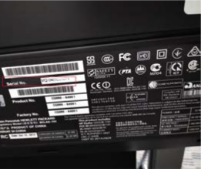
(Registration Code from printed sheet in your product box. Serial number on the front or back of product hardware.)

Step 2 of 3: Account Details

Please provide your account access details.
Name(Required)
Must be all lowercase letters and numbers without any spaces. Up to 24 characters long
Strength indicator
Hint: The password should be at least twelve characters long. To make it stronger, use upper and lower case letters, numbers, and symbols like ! ” ? $ % ^ & ).

Step 3 of 3: About You and Your School

Tell us about your district and school.
NOTE: if your district or organization or school does not appear below, please email to VariQuest support.
If there’s no school district, please search for your organization (which might be the same as the “Your School” field below).
Tax-Exempt Status
If you indicate you are tax-exempt, our team may reach out to you for confirmation and documentation.
School Address(Required)
To be used for shipping and billing. (If these are different, you can update later in your account.)
Required in case shipping and billing questions arise.
Shopping Cart
Scroll to Top